RC Plate Design Properties |
  
|
RC Plate Design Properties |
|
Last revised: Thursday, January 29, 2026 at 02:56 PM
Concrete Design > RC Design Properties > RC Plate Design Properties prompts you with the following dialog.
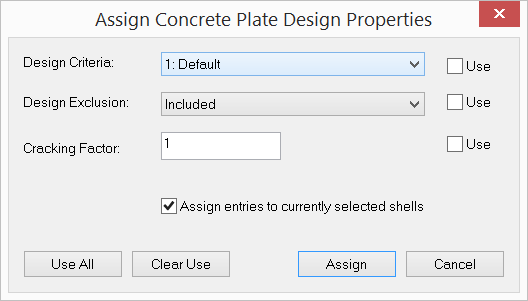
It allows you to continuously assign concrete plate design properties to shells. After clicking “Assign”, you can start to continuously assign concrete plate design properties by window-selecting shells until you right click the mouse or press the ESC key.
 <
<