Split Members |
  
|
Split Members |
|
Last revised: Thursday, January 29, 2026 at 02:52 PM
Modify > Split > Split Members prompts you with the following dialog.
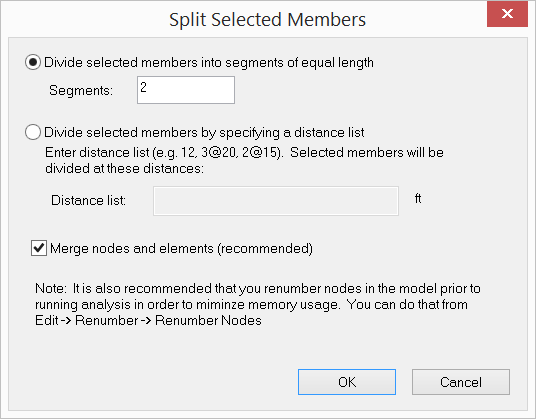
It allows you to divide selected members by specifying 2 or more segments of equal length or by providing a distance list. Loads on the original members are assigned automatically to the generated members after splitting. You have the option to automatically merge nodes and elements after splitting.
The input in the dialog above is applied to the members in the screen capture below...
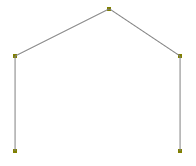
members before splitting
...to generate the members in the screen capture below by splitting.
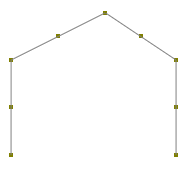
members after splitting
 <
<