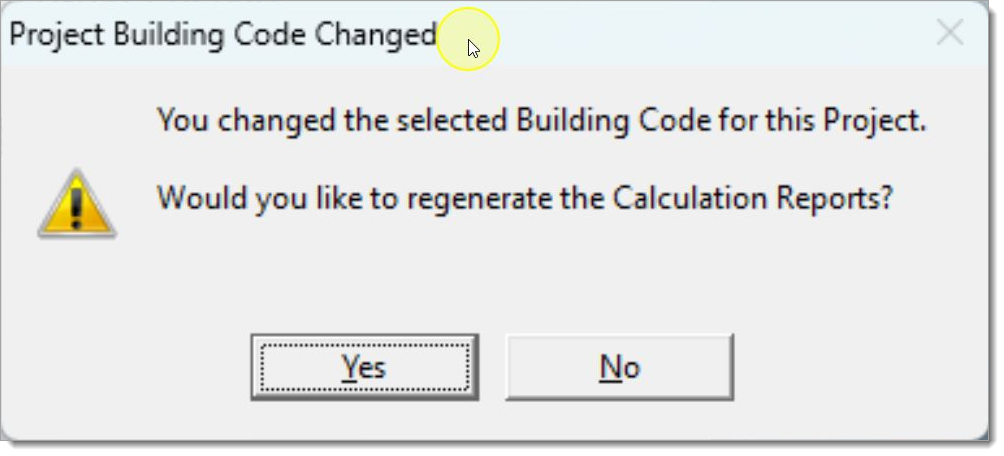
Code Value : 0 |
  
|
Code Value : 0 |
|
Last revised: Friday, April 3, 2026 at 05:34 PM
This indicates that there is a minor hiccup with the settings in your installation and possibly your default material code settings. Here is the easiest way to fix it:
1.Click "OK".
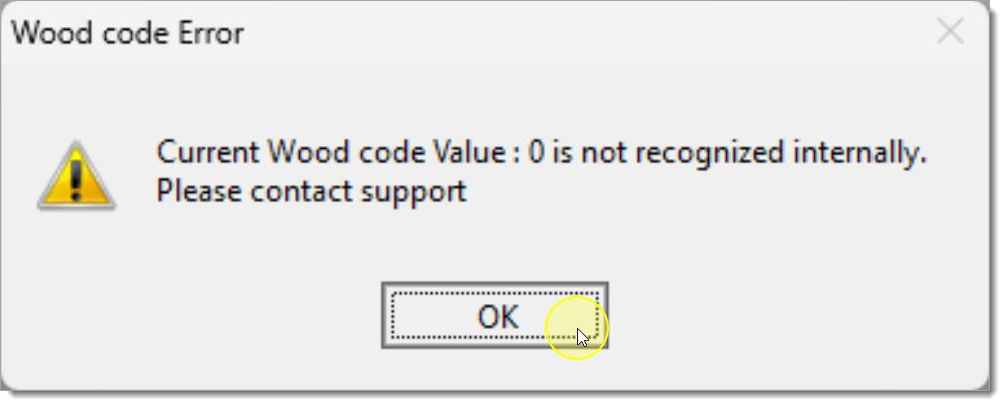
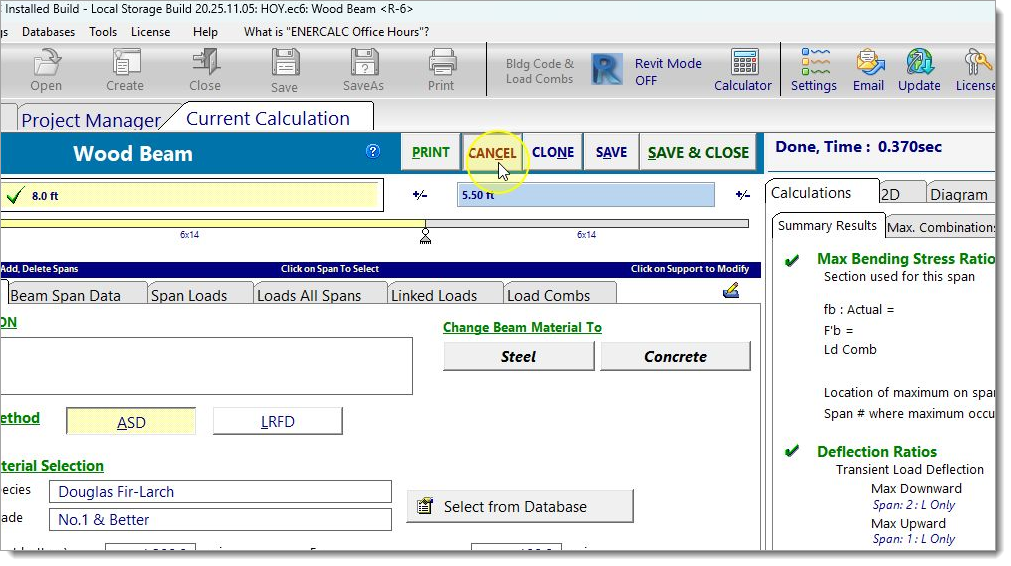
2.Click "CANCEL".
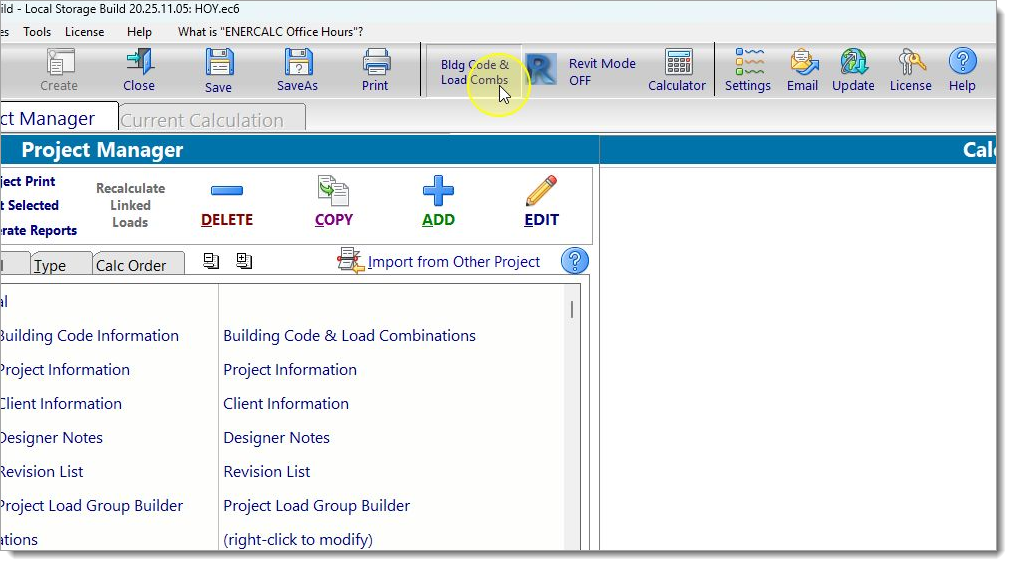
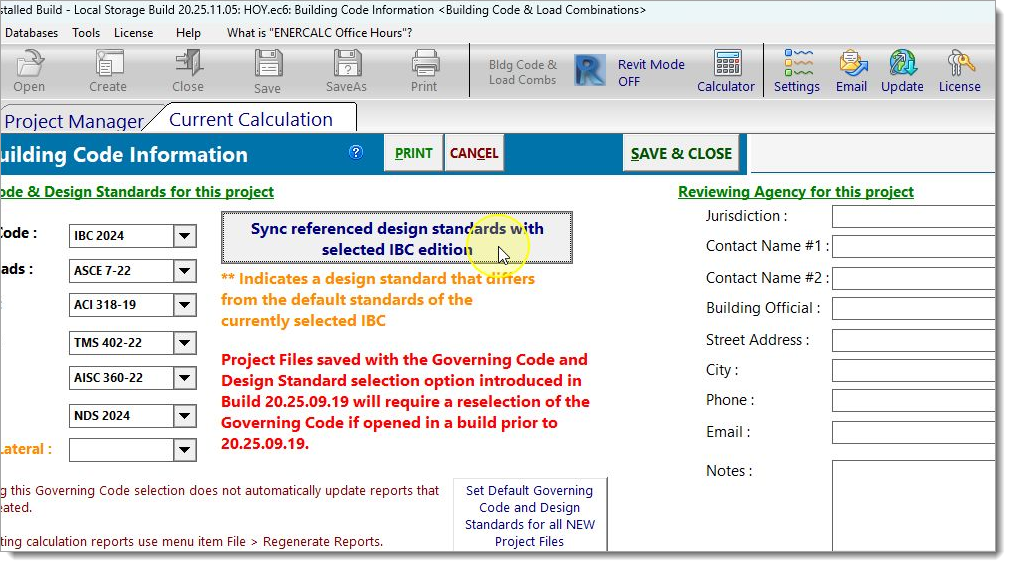
3.Click "Bldg Code".
4.Click "Sync design standards with selected IBC".
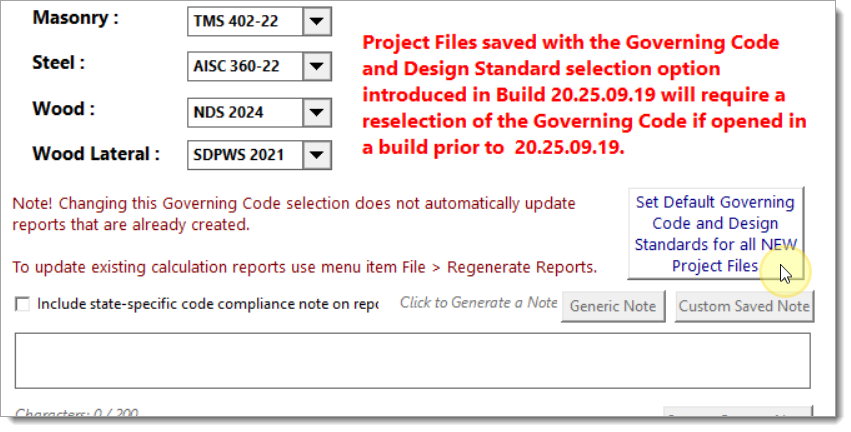
5.Click "Set Default Codes and Standards for New Projects".
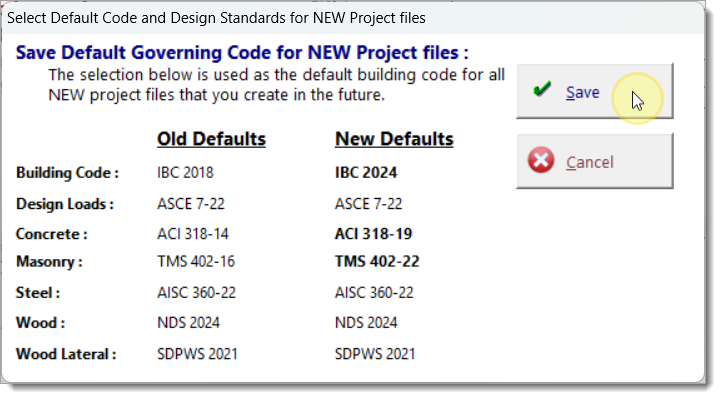
6.Click "Save".
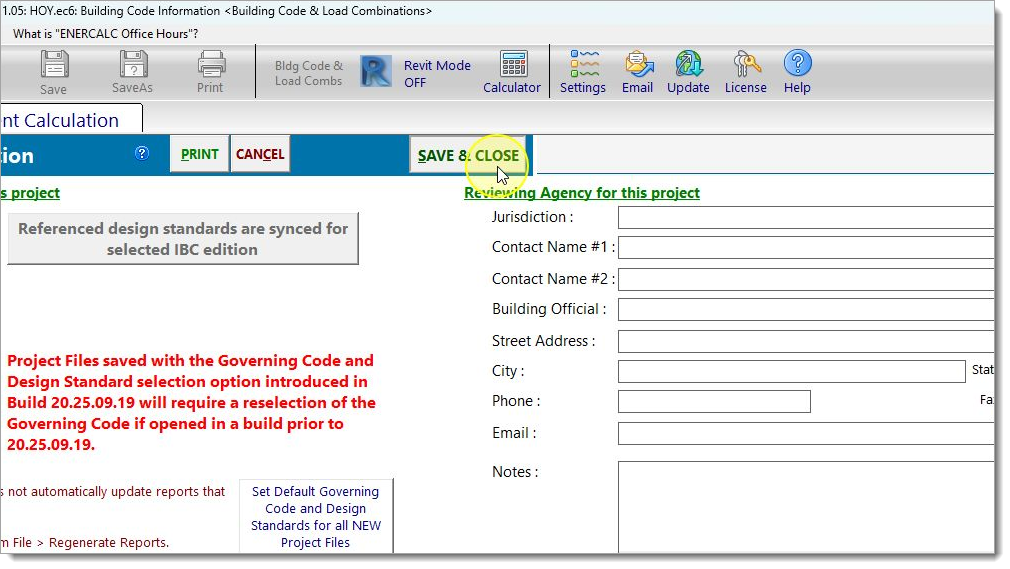
7.Click "SAVE & CLOSE".
8.Choose whether you want to regenerate all reports or do it later.